
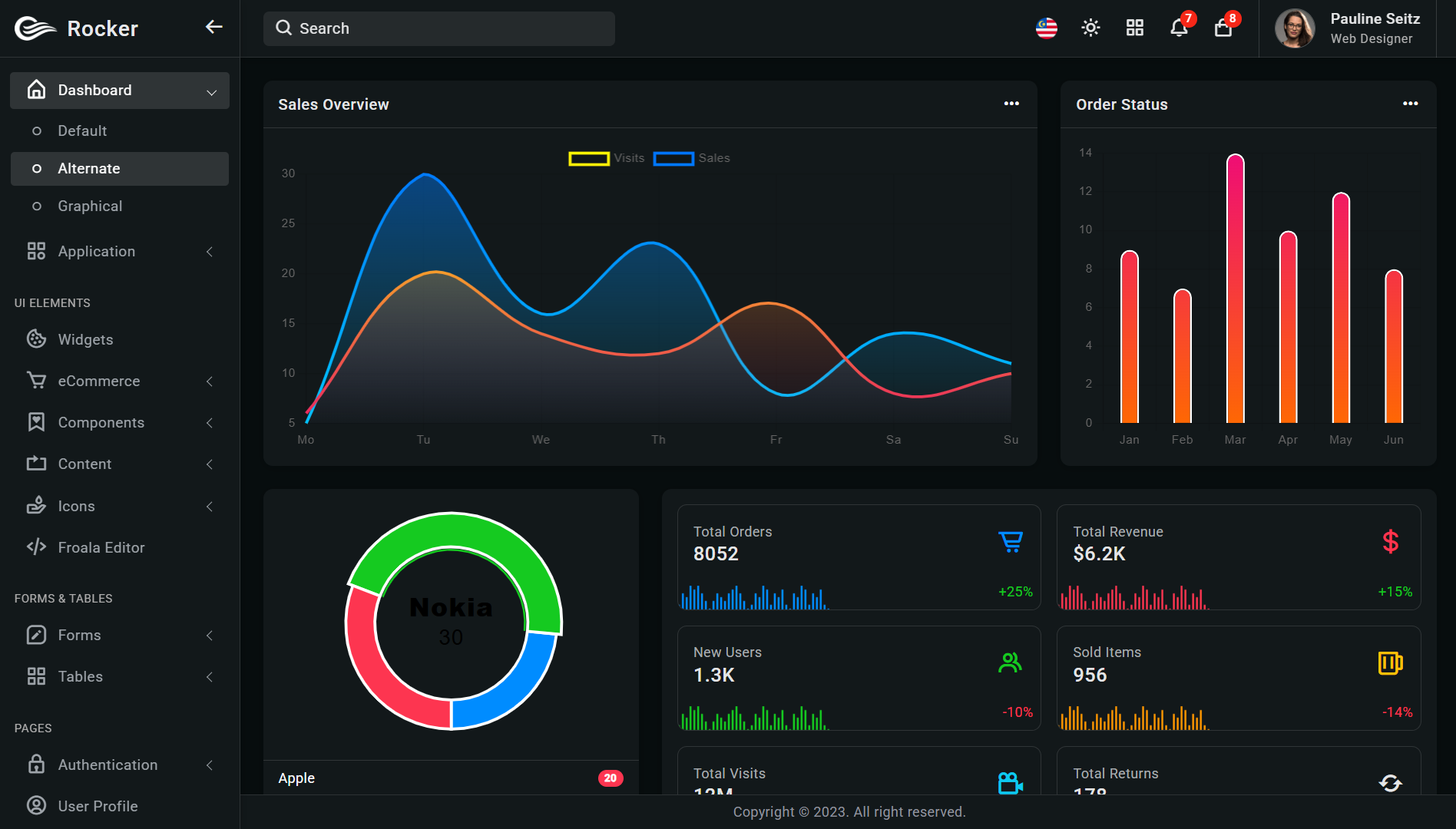
Introduction: Why the Right Dashboard Template Matters
In the fast-paced world of web development, time is currency. Every hour spent building administrative interfaces from scratch is an hour not spent on unique features, client communication, or business growth. For developers selling code on platforms like Dotartisan, selecting the right admin dashboard template isn't just about convenience—it's about strategic efficiency and professional presentation.
Admin dashboards serve as the control center for web applications, providing users with navigation, data visualization, and management tools. A well-chosen template can transform a complex backend into an intuitive, visually appealing interface that delights clients and end-users alike. For developers in Los Angeles' competitive tech ecosystem and beyond, leveraging premium templates means delivering superior value while maintaining profitability.
This comprehensive guide explores today's best admin dashboard templates, examining their technical merits, design philosophies, and suitability for different development scenarios. Whether you're building a SaaS platform, e-commerce backend, or enterprise management system, the right template can accelerate your workflow and elevate your final product.
The Evolution of Admin Dashboards: From Basic to Brilliant
Admin panels have undergone a remarkable transformation over the past decade. Early web applications often featured utilitarian, text-heavy interfaces with minimal styling. Today's dashboards are comprehensive design systems that balance aesthetics with functionality, incorporating:
Real-time data visualization with interactive charts and graphs
Responsive designs that adapt seamlessly across devices
Accessibility features ensuring compliance with WCAG standards
Modular architectures allowing extensive customization
Integration-ready structures for popular frameworks and libraries
Modern templates reflect this evolution, offering developers sophisticated foundations rather than simple starting points. For Dotartisan developers selling code solutions, understanding these advancements helps in selecting templates that will impress clients and withstand technical scrutiny.
Criteria for Evaluating Dashboard Templates
Before diving into specific recommendations, let's establish evaluation criteria:
Code Quality & Architecture: Clean, well-documented code following modern standards
Design Aesthetics & UI/UX: Visually appealing interfaces with intuitive navigation
Customization Flexibility: How easily the template can be adapted to specific needs
Framework Compatibility: Support for popular frameworks like React, Vue, Angular
Component Library: Breadth and quality of pre-built components
Documentation & Support: Quality of guides and responsiveness of support teams
Performance Optimization: Loading speed and resource efficiency
Regular Updates: Frequency of updates and maintenance
Browser Compatibility: Support across modern browsers
License Clarity: Clear usage terms for commercial projects
With these criteria in mind, let's explore the top contenders in today's market.
Premium Admin Dashboard Templates: The Elite Selection
1. Material Dashboard 2 PRO (React/Vue)
Framework: React, Vue.js
Price Range: $99-$199
Best For: Modern Material Design implementations
Material Dashboard 2 represents the pinnacle of Google's Material Design system implementation. With over 200 individual components, 7 example pages, and 3 customized plugins, this template offers unparalleled depth.
Key Features:
Built with React 18+ and Vue 3 Composition API
Fully responsive with mobile-first approach
Light and dark mode out of the box
Extensive charting libraries (Chart.js, ApexCharts)
Authentication flows pre-configured
RTL language support
Figma design files included
Why Dotartisan Developers Should Consider It: The Material Design system enjoys widespread recognition and user familiarity. Clients appreciate its clean aesthetics and consistent interaction patterns. For developers selling admin panels to enterprise clients or startups targeting broad user bases, this familiarity reduces learning curves.
Customization Tip: Leverage the theming system to quickly match client brand colors. The SASS/SCSS architecture allows deep customization without modifying core files.
2. AdminLTE 4 Pro
Framework: Bootstrap 5
Price Range: $35-$99
Best For: Traditional web applications and rapid prototyping
AdminLTE has been a developer favorite for nearly a decade, and version 4 maintains its position as the most downloaded open-source admin dashboard. The Pro version adds premium components, enhanced plugins, and priority support.
Key Features:
100+ widgets and UI elements
30+ plugins including calendar, kanban board, and file managers
20+ example pages with common layouts
Integration with Laravel, Django, and ASP.NET starter kits
Lightweight compared to JavaScript framework alternatives
Extensive browser compatibility including legacy support
Why Dotartisan Developers Should Consider It: For projects with tight deadlines or clients with specific backend framework preferences, AdminLTE's simplicity and extensive documentation accelerate development. Its Bootstrap foundation means most developers already understand its structure.
Customization Tip: Use the built-in layout options to quickly rearrange components. The documentation includes specific guides for integrating with popular backend frameworks.
3. Vuexy - VueJS Admin Template
Framework: Vue.js 3
Price Range: $39-$299
Best For: Single-page applications and Vue.js enthusiasts
Vuexy demonstrates what's possible with Vue.js 3's Composition API. This template boasts over 10 unique layouts, 100+ components, and meticulous attention to performance.
Key Features:
Built with Vue 3, Vue Router 4, and Pinia state management
8 chart libraries pre-integrated
Advanced form validation with Vuelidate
JWT authentication flow implemented
Clean folder structure following Vue 3 best practices
6 months of free updates with standard license
Why Dotartisan Developers Should Consider It: Vue.js continues gaining market share, particularly for interactive applications. Vuexy represents current best practices in Vue development, making it an excellent foundation for developers wanting to demonstrate cutting-edge skills.
Customization Tip: Take advantage of the component-based architecture to create reusable custom components that extend the template's functionality.
4. Angular Material Admin Pro
Framework: Angular 15+
Price Range: $79-$249
Best For: Enterprise applications and Angular specialists
For developers committed to Angular, this template represents the gold standard. Built with Angular Material components and following Angular's strict design patterns, it provides a robust foundation for scalable applications.
Key Features:
Angular 15+ with strict TypeScript configuration
NgRx state management implementation
Lazy loading modules for optimal performance
AOT (Ahead-of-Time) compilation ready
Internationalization (i18n) setup
Unit testing configuration with Jasmine/Karma
Docker configuration for containerization
Why Dotartisan Developers Should Consider It: Enterprise clients often prefer Angular for its structure and scalability. This template demonstrates professional-grade Angular architecture that can handle complex business logic and large development teams.
Customization Tip: Utilize the NgRx state management for complex data flows. The template's strict adherence to Angular patterns makes it easy to add custom modules.
5. Stisla (Bootstrap 4)
Framework: Bootstrap 4
Price Range: FREE (MIT License)
Best For: Budget-conscious projects and learning environments
Stisla proves that premium aesthetics don't require premium pricing. This free template features a modern design with bright colors and clean typography that belies its zero-cost license.
Key Features:
30+ components with consistent design language
Modular CSS with Gulp workflow
6 layout variations
SVG icon integration
Lightweight at under 2MB
Active GitHub community
Why Dotartisan Developers Should Consider It: For developers just starting to sell on marketplaces, Stisla offers professional results without upfront investment. The MIT license allows unlimited commercial use, making it perfect for client projects with tight budgets.
Customization Tip: The Gulp-based workflow simplifies CSS customization. Consider replacing the default icons with a premium set for enhanced visual appeal.
Niche-Specific Dashboard Templates
Beyond general-purpose templates, several specialized options cater to specific industries:
1. Majestic Admin (E-commerce Focus)
Specialty: Online stores and product management
Highlights: Product grid layouts, order management workflows, customer analytics dashboards, inventory tracking components
2. Corona React (Health/Analytics)
Specialty: Data-heavy applications and analytics platforms
Highlights: Advanced charting libraries, data table components with filtering, KPI dashboard widgets, export functionality
3. Skote (SaaS Applications)
Specialty: Software-as-a-Service platforms
Highlights: Subscription management interfaces, user onboarding flows, billing integration components, team collaboration features
Technical Considerations for Template Selection
Framework Alignment with Project Requirements
Consider both current needs and future scalability. React and Vue templates offer rich interactivity but require JavaScript expertise. Bootstrap-based templates work well for traditional applications and teams with varied skill levels.
Performance Implications
Heavy templates with numerous dependencies can impact load times. Evaluate:
Bundle sizes (aim for under 500KB compressed for initial load)
Lazy loading implementation
Tree-shaking compatibility
Image optimization techniques used
Accessibility Compliance
For projects serving government, education, or large corporations, WCAG 2.1 AA compliance is often mandatory. Check if templates include:
ARIA labels and roles
Keyboard navigation support
Color contrast meeting standards (4.5:1 minimum)
Screen reader compatibility
Security Considerations
Admin panels often handle sensitive data. Ensure templates:
Follow secure coding practices
Don't include hard-coded credentials
Use parameterized queries for database interactions
Implement proper input validation
Customization Strategies for Maximum Value
1. Create Reusable Modifications
When customizing templates for client projects, document modifications that could benefit multiple clients. Create a library of:
Enhanced data table components
Custom chart visualizations
Authentication flow variations
Notification system improvements
2. Develop Template-Specific Plugins
Identify common client requests that extend template functionality. Consider developing:
Integration modules for popular services (Stripe, Twilio, SendGrid)
Advanced filtering components
Export functionality (PDF, Excel, CSV)
Real-time notification systems
3. Establish Brand Adaptation Workflow
Create a systematic approach for adapting templates to client branding:
Color scheme extraction from logos
Typography hierarchy establishment
Custom icon set integration
Layout adjustments for brand personality
Licensing Considerations for Dotartisan Developers
Understanding template licenses is crucial when selling development services:
Personal vs. Commercial Licenses
Most templates offer tiered licensing:
Personal/Non-commercial: For learning or personal projects
Commercial: For client projects (usually single use)
Extended/Team: Multiple projects or developer seats
SaaS/Product: For resale or SaaS applications
Redistribution Rights
Important questions to ask:
Can you resell the template as part of your code?
Are there limitations on the number of end products?
What about templates used in freelance vs. agency work?
Are there restrictions on project revenue thresholds?
Update Policies
Regular updates ensure compatibility and security:
Duration of free updates (typically 6-12 months)
Update delivery mechanism
Breaking change policies
Legacy version availability
Integrating Templates with Backend Frameworks
Successful dashboard implementation requires seamless backend integration:
Laravel Integration
Most premium templates offer Laravel starter kits. Key integration points:
Authentication scaffolding
Database seeding for demo content
Route organization matching frontend structure
API resource configuration
Django Integration
For Python-based backends:
Static file configuration
Template inheritance setup
CSRF token implementation
REST framework integration
Node.js/Express Integration
Considerations for JavaScript backends:
Session management alignment
API endpoint structure
WebSocket integration for real-time features
Build process coordination
Performance Optimization Techniques
Even the best templates benefit from optimization:
Bundle Analysis and Reduction
Use Webpack Bundle Analyzer or similar tools
Implement code splitting for larger applications
Remove unused dependencies
Consider lighter alternative libraries
Asset Optimization
Compress images (WebP format where supported)
Implement lazy loading for below-the-fold images
Minify and concatenate CSS/JS files
Leverage browser caching strategies
Server-Side Considerations
Implement caching layers (Redis, Memcached)
Use CDN for static assets
Database query optimization
Consider server-side rendering for critical pages
Testing and Quality Assurance
Ensure your customized dashboard maintains quality:
Cross-Browser Testing
Test on at least:
Chrome (latest 2 versions)
Firefox (latest 2 versions)
Safari (latest 2 versions)
Edge (latest 2 versions)
Responsive Testing
Verify functionality across:
Mobile (320px-767px)
Tablet (768px-1024px)
Desktop (1025px+)
User Experience Testing
Navigation flow validation
Form submission processes
Error handling and messaging
Loading state management
Future-Proofing Your Dashboard Implementation
Technology evolves rapidly. Protect your investment by:
Following Semantic Versioning
Track template updates and plan for migrations. Maintain a compatibility matrix for:
Framework versions
Browser requirements
Plugin dependencies
Creating Abstraction Layers
Isolate custom code from template code through:
Wrapper components
Custom hooks/composables
Service layers for business logic
Configuration objects for template settings
Documentation Practices
Maintain thorough documentation covering:
Customization decisions and locations
Integration points with backend systems
Known issues and workarounds
Upgrade procedures
The Dotartisan Advantage: Selling Your Expertise
As a developer on Dotartisan, your value extends beyond code implementation. Clients purchase solutions to business problems. When offering dashboard development services:
Package Your Services Strategically
Consider tiered offerings:
Template Customization: Basic branding and configuration
Feature Integration: Connect to existing systems and APIs
Complete Solution: Full-stack implementation with backend
Ongoing Maintenance: Updates, security patches, and support
Showcase Your Template Expertise
Create portfolio pieces demonstrating:
Before/after customization examples
Performance improvements achieved
Accessibility enhancements implemented
Integration case studies
Educate Your Clients
Many clients don't understand dashboard capabilities. Create content explaining:
How proper dashboards improve operational efficiency
ROI calculations for dashboard investments
Industry-specific dashboard best practices
Mobile accessibility benefits
Conclusion: Mastering the Art of Dashboard Development
Selecting the right admin dashboard template represents a strategic decision that impacts development efficiency, client satisfaction, and project success. The templates discussed here represent the current market leaders, each with strengths for different scenarios.
For Dotartisan developers in Los Angeles' competitive market and beyond, mastering dashboard implementation creates significant business advantages. By combining premium templates with expert customization, you deliver exceptional value while maintaining healthy profit margins.
Remember that the best template is one that:
Aligns with your technical expertise
Fits your client's specific needs
Allows efficient customization
Maintains performance standards
Supports long-term maintenance
As web technologies continue evolving, staying current with dashboard trends and templates will ensure your development services remain in high demand. Whether building for startups in Silicon Beach or enterprises in Downtown LA, the right dashboard foundation sets the stage for exceptional digital products.
Final Recommendation: Start with one general-purpose template matching your primary framework expertise. Master its customization possibilities before expanding to niche or alternative framework options. Your deep knowledge of a specific template will deliver better results than superficial familiarity with many.
The dashboard is more than an interface—it's the operational heart of modern web applications. Choose wisely, implement skillfully, and watch your Dotartisan reputation grow with every successful deployment.
Comments (0)